Download QMaply

Choose your complex in the app and instantly see every place, entrance and route near your home.

The digital map of your complex

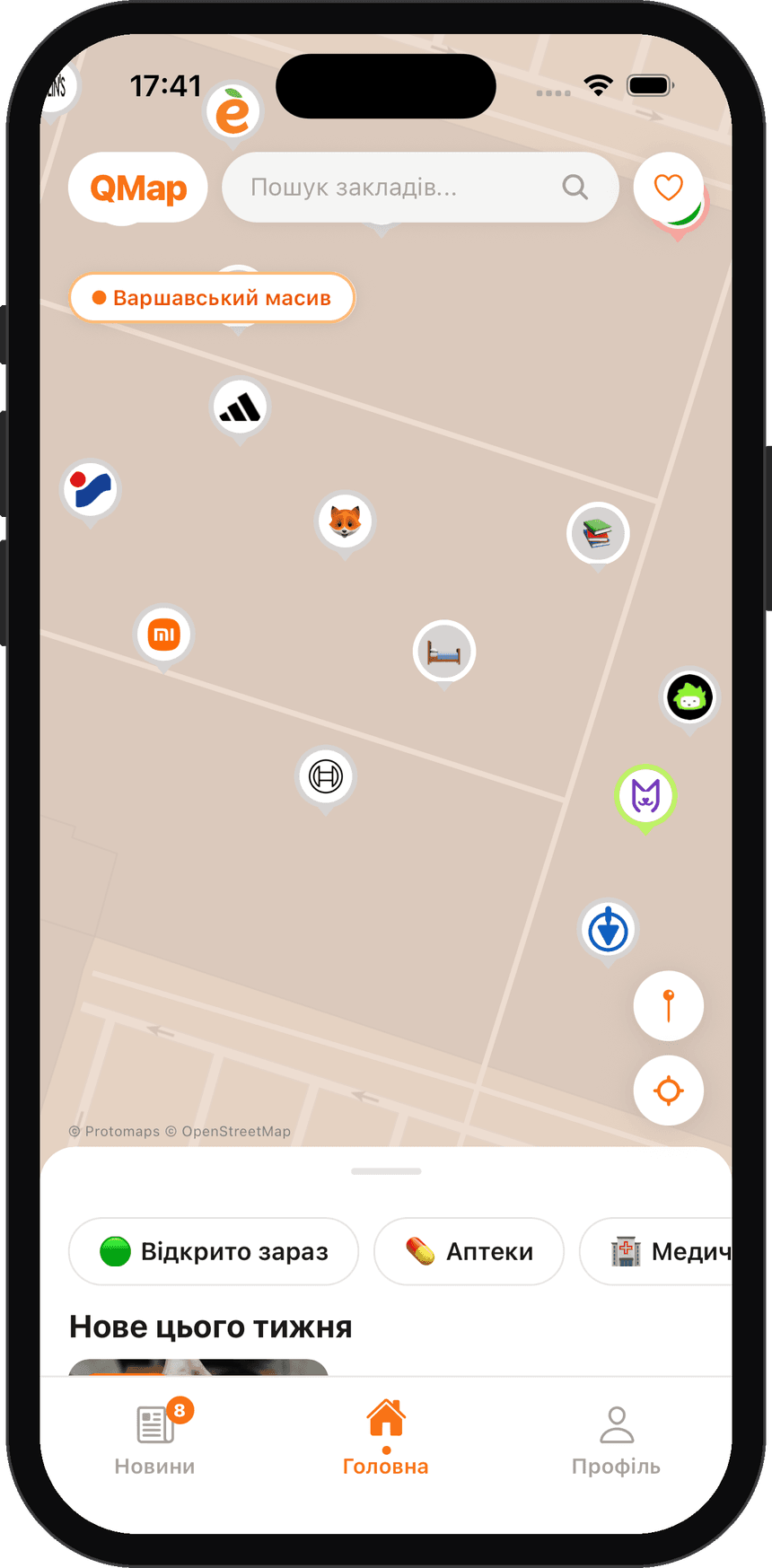
Everything near your home, on a digital map

QMaply shows the cafés, services and shops of your residential complex down to the section and entrance. Businesses are added in minutes, and the map updates right after moderation.

Want your business to appear on the QMaply map?

Tell us about your business and we will get in touch to discuss the details.

1 stepsto add a business
Section & doorinstead of “somewhere in the yard”
Freefor residents
+ Your complex
Why QMaply

You know your complex. But do you know everything it has to offer?

Cafés, shops, services and other businesses near your home — on one interactive map. QMaply helps you find what you need, discover new places and keep up-to-date information at hand.

  • Find what you need in a minuteSearch by category and an “Open now” filter.
  • Exact address inside the complexBuilding, section, street or courtyard entrance.
  • Fresh data without effortOwners update their hours and status themselves.
  • Never miss what's newNotifications when a new place opens in the complex.
  • Support local businessNeighbours choose places in their own complex more often.
Features

A map kept up to date by the people who live and work here

Residents find what they need. Business owners manage their own listing. A moderator makes sure only verified data reaches the map.

Interactive map

The whole complex at a glance

Buildings, sections, entrances and courtyard paths on one plan. Tap a pin to see the hours, contacts and the route to the right door.

  • Pins accurate to the entrance
  • Categories by colour and icon
  • Route from your own entrance
QMaply
Quick add

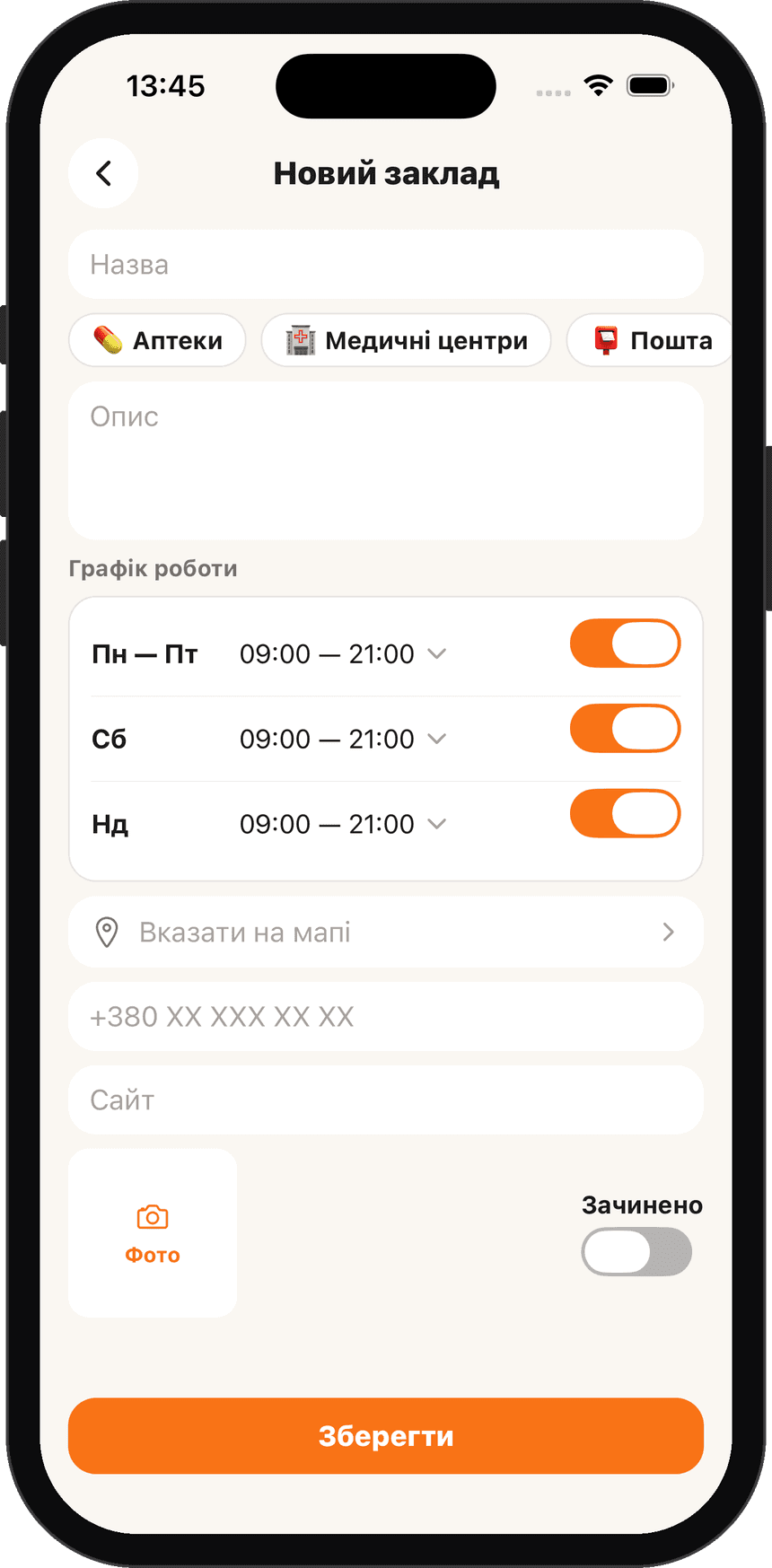
A new business on the map in 1 step

An owner or admin fills in a short form: name, category, location and opening hours. A photo of the storefront helps neighbours recognise the door.

  • Pick building, section and entrance from a list
  • Hour templates: weekdays, weekends, 24/7
  • Request goes straight to moderation
QMaply
Search & filters

“Open now” right next to your entrance

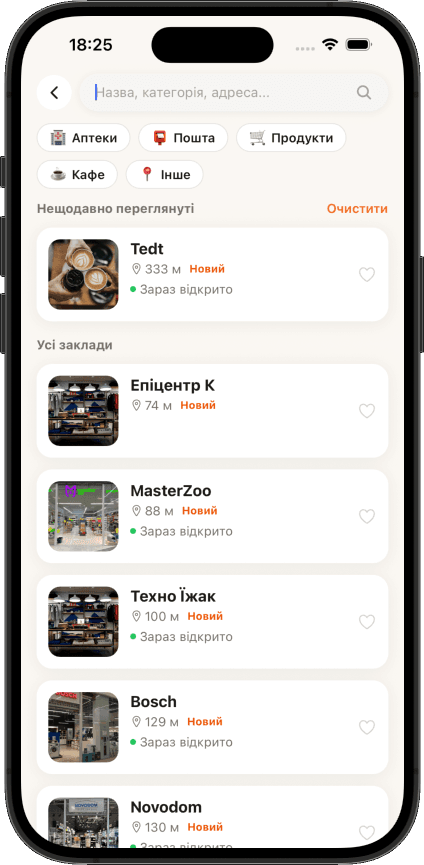
Search by name or category. QMaply shows what is open right now and sorts places by distance from your building.

  • Filters by category and opening hours
  • Walking minutes across the complex
  • Saved favourite places
QMaply
Notifications

Be the first to know what's new

Get notified about new openings and changes at your favourite places. You choose the categories and can turn notifications off at any time.

  • New places in your complex
  • Hour changes at favourite places
  • Flexible settings, no spam
QMaply
For business

Why your business belongs on the complex map

Your closest customers live a few minutes' walk away. QMaply helps them learn you are nearby and find your exact door.

  • Free listingA place card with photos, hours and contacts at no cost.
  • Customers next doorResidents of your complex and nearby complexes who are a few minutes’ walk away see you.
  • Opening announcementWhen you appear on the map, residents get a push notification.
  • Route to your doorCustomers see the section and entrance, so they don't wander the courtyard or call to ask.
  • Full controlChange hours, photos or the “Temporarily closed” status any time.
How to add your business to the QMaply map

Download QMaply

Places are added right in the app, and it only takes a few minutes.

  1. 1Sign up in QMaply and choose your complex
  2. 2Go to your profile and tap “Open business account”
  3. 3Tap “Add business” and fill in your place card

Your place appears on the map after moderation. Listing is free.

Would you rather we helped?

Want your business to appear on the QMaply map?

Tell us about your business and we will get in touch to discuss the details.

Ask a question

Tell us what you would like to know about listing your place and we will get back to you.

  1. 1Sign up in QMaply and choose your complex
  2. 2Go to your profile and tap “Open business account”
  3. 3Tap “Add business” and fill in your place card

Your place appears on the map after moderation. Listing is free.

Where QMaply works

One app for different complexes

Pick your complex and see only its businesses, services and routes. We launched in Varshavskyi and have already added Dibrova park.

Live

Varshavskyi

Where QMaply started. The map shows buildings, sections and entrances, plus cafés, pharmacies, shops and services with opening hours and a route to the right door.

Open Varshavskyi in QMaply

Install the app and choose Varshavskyi in the list of complexes. The map with all places, entrances and routes opens right away.

Live

Dibrova park

The newest complex on QMaply. Residents can already see places on the map, and business owners add their cards, hours and photos for free.

Open Dibrova park in QMaply

Install the app and choose Dibrova park in the list of complexes. The map with all places, entrances and routes opens right away.

+

Want QMaply in your complex?

We connect complexes on request from a homeowners' association, management company, developer or a group of residents. We digitise the plan of buildings, sections and entrances ourselves.

  1. 1Send a request with the complex name and address
  2. 2We prepare the complex map
  3. 3We invite residents and businesses

Want QMaply in your complex?

Tell us about your complex and we will get in touch to discuss connecting it.

How it works

From request to a pin on the map

Every business is verified, so residents only see real places with the correct address.

  1. 1RequestThe owner fills in a form in the app: name, category, location, hours.~2 minutes
  2. 2ReviewA moderator checks the address and contacts and asks for details if needed.within 24 hours
  3. 3PublishingThe pin appears on the map and residents get a notification.right after approval
  4. 4UpdatesThe owner changes hours or status, and the map stays current.any time
FAQ

Frequently asked questions

Didn't find an answer? Write to us and we will get back to you soon.

Ask a question

Write your question and we will reply to the contact you leave.

Is QMaply free?

Yes. Browsing the map, search and notifications are free for residents. Listing a business is free too.

Which complexes is QMaply in?

Right now in Varshavskyi, where we first launched, and in Dibrova park. You choose your complex in the app and can change it in your profile.

How do we connect our complex?

Send a request from your homeowners' association, management company or a group of residents: email support@qmaply.com or use the support page.

Do I need an account?

You can browse the map without signing up. An account is needed to add or edit a business, save favourites and report mistakes.

Who can add a business to the map?

The owner or a representative of a place that operates in the complex. A moderator reviews every request before publishing.

Do you use my location?

Only if you allow it. Location is used to show you on the map and build a route. Without permission the app works fully except for these features. See the Privacy Policy.

How do I report a mistake on the map?

Contact support.

How do I delete my account?

In the app: Profile → Settings → Delete account. You can also send a request without signing in. See Account deletion.

About

Who is behind QMaply

IT Zeyz develops QMaply, a digital map of residential complexes. We launched in Varshavskyi, added Dibrova park and are ready to connect new complexes. We help residents quickly find services near home and help local businesses get noticed by their neighbours.

Our goal is simple: information about life in every complex should be accurate, gathered in one place and available to all residents.